Email Capture: Turn Project Email Into Project Record
Many decisions that move AEC projects forward live in email. Now they live in your project folder too.
Your project's important context can finally live where the work does.
Approvals. Scope changes. Risk calls. Owner feedback that reshaped a floor plan. The thread that explains why a material substitution was approved. In AEC, these conversations don't just coordinate the project. They are the project.
Email Capture moves that context out of personal inboxes and into the shared project record, where the whole team can find, search, and learn from it.
The Problem With Email as a System of Record
Email was never built to be a project record. But for most firms, it became one. The cost shows up in familiar ways: a decision trail visible only to the person who received it, files organized differently by every team member, history that walks out the door when someone leaves.
When disputes, audits, or simply the next phase of work demand answers, that record is almost impossible to reconstruct.
Introducing Email Capture
Email Capture connects Microsoft Outlook to Egnyte and files project emails directly into the right project folder. Once filed, emails become part of a structured, shared project record. Organized by month. Natural language search by date, sender, subject, and project. Governed alongside the rest of your project content in Egnyte.
How It Works
File from Outlook in a few clicks. The enhanced Outlook add-in lets users file emails into Egnyte project folders without leaving the Outlook sidebar. Thread Filing captures the full conversation, not just one message, so the complete context is preserved.
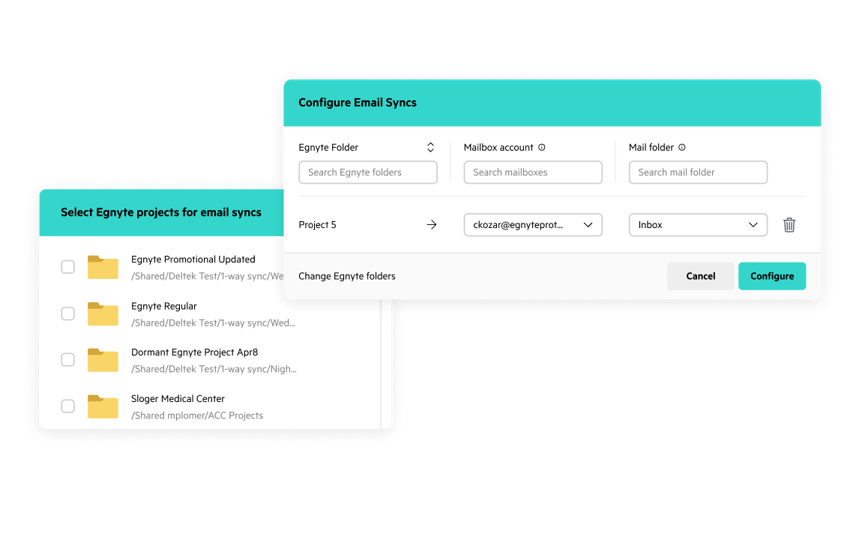
Automate filing at scale. Manual filing doesn't scale across a large team. With automated filing, administrators can map Outlook folders to Egnyte project folders, creating a persistent connection between the two. Any email moved into a mapped Outlook folder, whether by drag-and-drop or by a rule based on project ID, sender, etc., automatically syncs to the corresponding Egnyte project. Emails organize themselves by year and month out of the box. No additional configuration required.
Find any email without leaving Outlook. Filing is half the value. Search is the other half. Email Capture makes filed emails searchable across your entire project, by date, sender, subject, and document type, directly from Outlook. No browser required. The answer is always one search away.
One Project Record. One AI Across All of It.
With Email Capture, project communications sit alongside your synced Procore documents, Autodesk Forma design files, and more, as well as the rest of your project content in Egnyte. One complete picture. Nothing scattered.
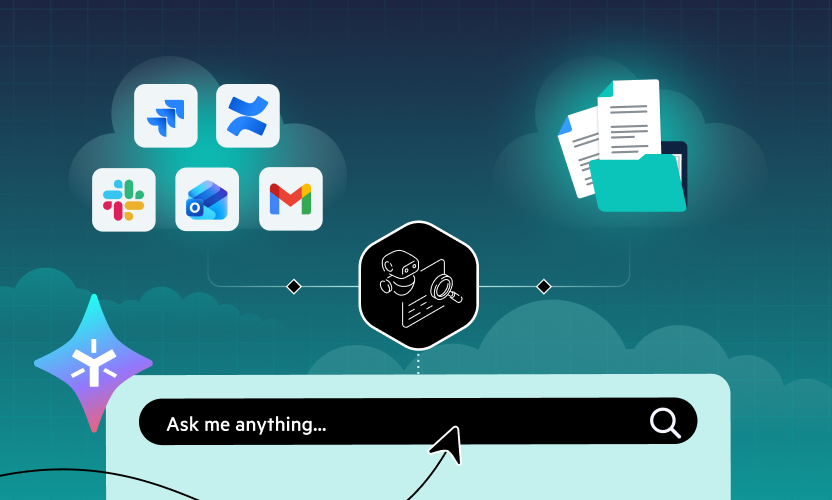
And because it all lives in Egnyte, your AI Assistant can work across the full project record. Teams get answers grounded in the whole project, not just what is in one person's inbox.
Why This Matters
In any project-based business, email carries institutional knowledge. Nowhere is that truer than AEC.
It is the RFI thread that documents why a field condition forced a redesign. The consultant discussion that resolved a code conflict. The permitting exception clarified years ago. The owner relationship history that shapes how the next project starts. The change order from 2020 that answers a question someone is asking today.
That knowledge already exists. It just lives in folders no one can find, inboxes no one else can access, and laptops that have long since left the building.
Email Capture makes it part of the record. Organized. Searchable. Available to the next team on the next project. Not only to survive audits and disputes, but to learn from past work and carry forward what your firm has earned.
The same principle holds wherever projects drive the business. Construction. Legal. Consulting. Complex client work. The project record belongs to the firm, not the inbox.
Availability
The Email Capture Outlook add-in is available on AEC Elite and AEC Ultimate plans and enables users to manually file emails and attachments to Egnyte with no additional software or IT configuration. Automated filing, including configurable project and folder mapping rules, is available on all Next Gen Platform plans, including Essentials and above.
See it in action. Watch the Product Tour Demo to see how Email Capture files, organizes, and surfaces project email inside Egnyte.
Ready to get started? Contact a specialist to see how Email Capture can work for your firm.